Metric Sampling allows you to reduce computational costs by evaluating metrics on only a subset of your calls. Instead of running every metric on every call, you can configure a sampling rate (e.g., 30%) to evaluate metrics on a representative sample while maintaining statistical accuracy.
Metric sampling applies to call logs (observability / live traffic) only. It does not apply to simulation runs — all metrics enabled on an evaluator are always evaluated on every simulation run, regardless of the sampling rate configured in project settings.
The sampling feature uses a deterministic accumulator algorithm that ensures the exact percentage of calls are evaluated over time. For example, with a 30% sampling rate, exactly 30 out of every 100 calls will have the metric evaluated.When a metric evaluation is skipped due to sampling, a placeholder record is created in your dashboard to maintain audit trails.
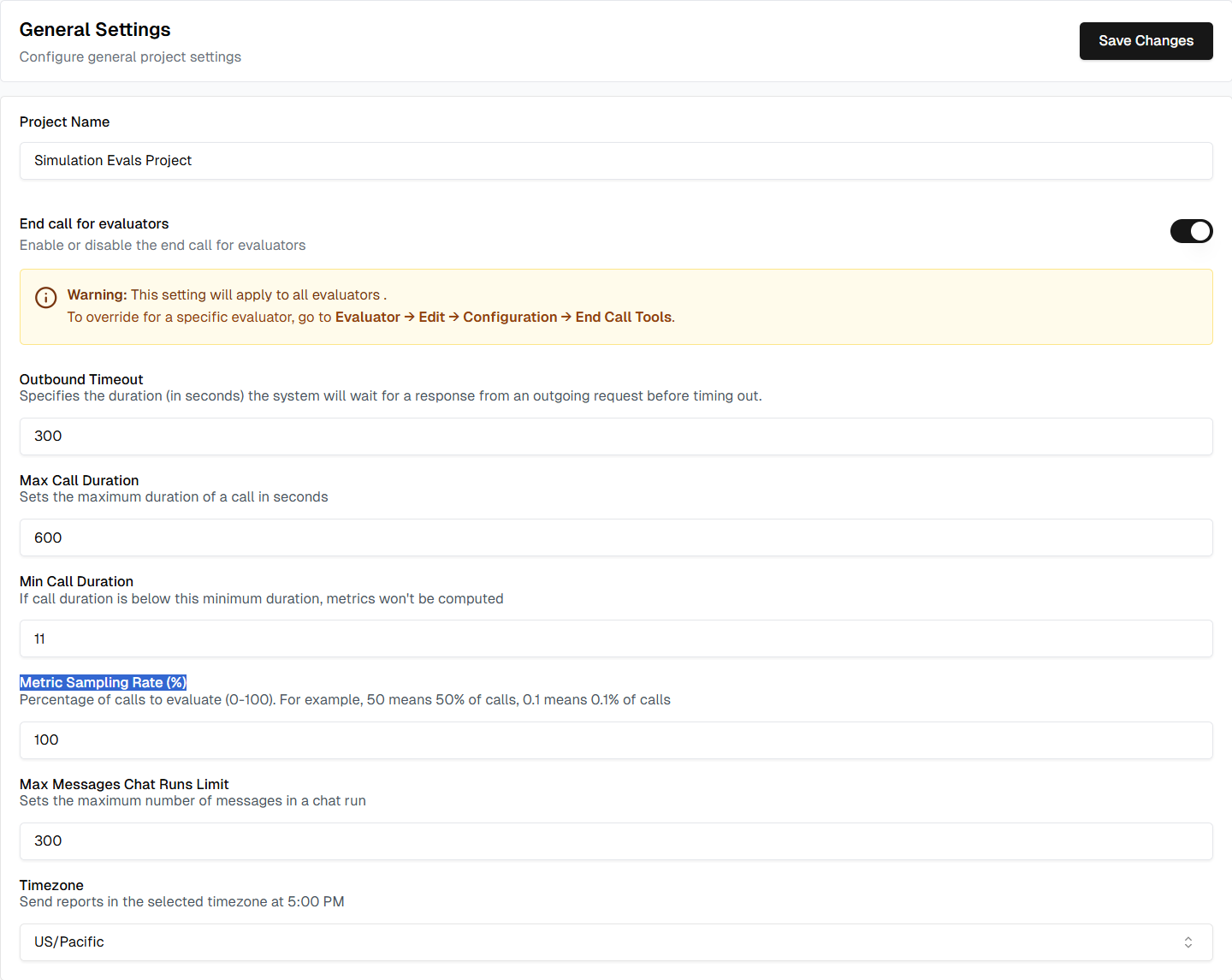
Navigate to Settings in your project and find the Metric Sampling Rate (%) field.Enter a value between 0-100:
0 = No metrics evaluated (0%)
100 = All metrics evaluated (100%, no sampling)
30 = 30% of calls evaluated
0.1 = 0.1% of calls evaluated
Configure the sampling rate in your project settings
The sampling rate applies to all metrics that have sampling enabled, unless a metric has its own sampling rate. You can control which metrics use sampling in the next step.
2
Enable Sampling for Individual Metrics
Go to the Metrics section, find the metric you want to sample, and toggle the Sampling option to enable it.
Enable or disable sampling for individual metrics
Not all metrics need sampling. Consider enabling sampling for:
Non-critical metrics used for trends rather than individual call analysis
Metrics evaluated on high-volume agents
Keep sampling disabled for:
Critical workflow metrics (Boolean type)
Low-cost metrics (e.g., latency, duration)
Metrics where you need 100% coverage
3
Set a Sampling Rate for an Individual Metric (Optional)
To use a different rate for one metric, open the metric’s ⋮ menu and click Sampling rate. This option is only available when sampling is enabled for the metric.Enter a value between 0-100, or leave it empty to use the project sampling rate. Via the API, set sample_rate on the metric as a fraction between 0.0 and 1.0 (e.g. 0.25 for 25%), or null to use the project rate.
Cost Optimization: Reduce evaluation costs on high-volume agents while maintaining statistical insights.Performance Testing: Use 100% sampling during development and testing, then reduce to 10-30% in production.Trend Analysis: For metrics used to track trends over time, sampling provides sufficient data without evaluating every call.
Assistant
Responses are generated using AI and may contain mistakes.