

Overview
Test your ElevenLabs agents using multiple methods: phone numbers, websockets, or chat interfaces. Choose the testing method that best fits your use case.Configure automatically
1
Select ElevenLabs
In Cekura, go to Agents, create an agent, and select ElevenLabs as the provider.
2
Enter your ElevenLabs credentials
Enter the ElevenLabs Agent ID and an API key with access to Agents. Select US for the default API or EU Residency if your ElevenLabs workspace uses the EU endpoint.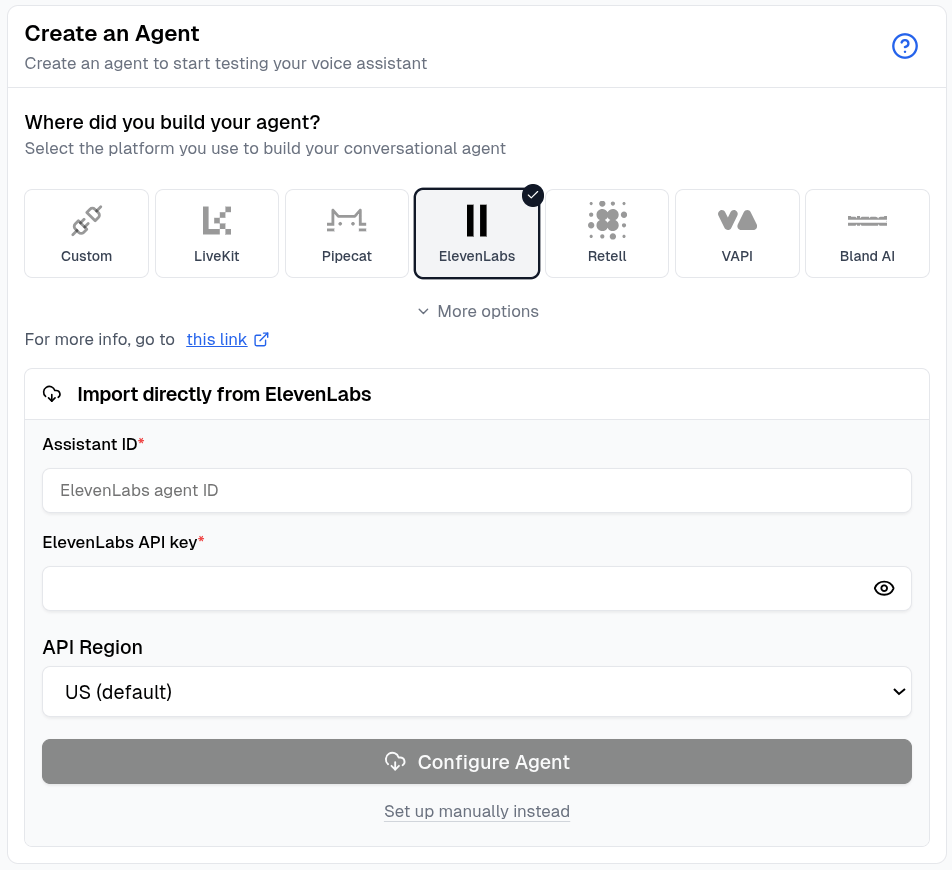
3
Configure the agent
Click Configure Agent. Cekura imports the available name, prompt, language, first message, phone number, tools, dynamic variables, and knowledge base.
4
Review the connection
When the import finishes, open the agent and confirm the imported settings before running an evaluator.
To enter the Agent ID and API key yourself, click Set up manually instead and follow the connection-specific steps below.
- Phone Number
- Websocket
- Chat
- Code
Test your agents using phone numbers directly from the frontend.
1
Configure phone number
Go to your agent settings and configure the phone number for testing: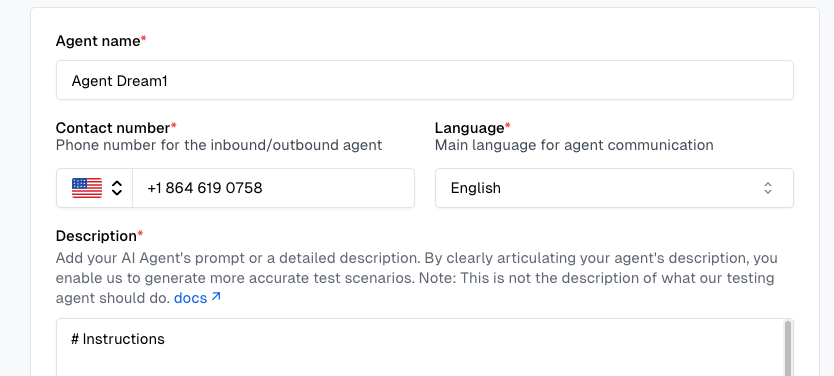
Enter the phone number associated with your ElevenLabs agent. No additional credentials required for phone-based testing.
2
Run tests from frontend
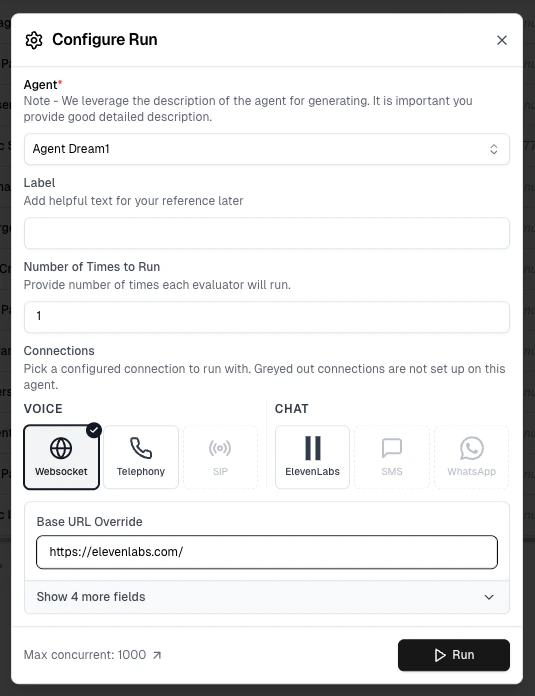
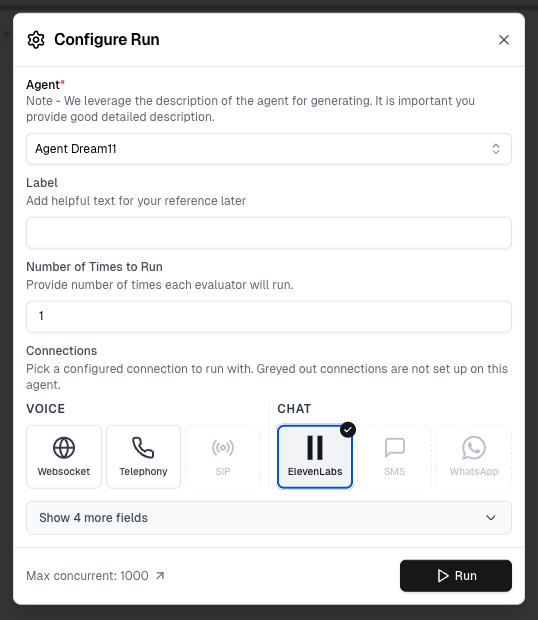
Select scenarios and run tests using the UI. This will open the Configure Run dialog.In the Configure Run dialog, select Telephony under Voice connections and click Run.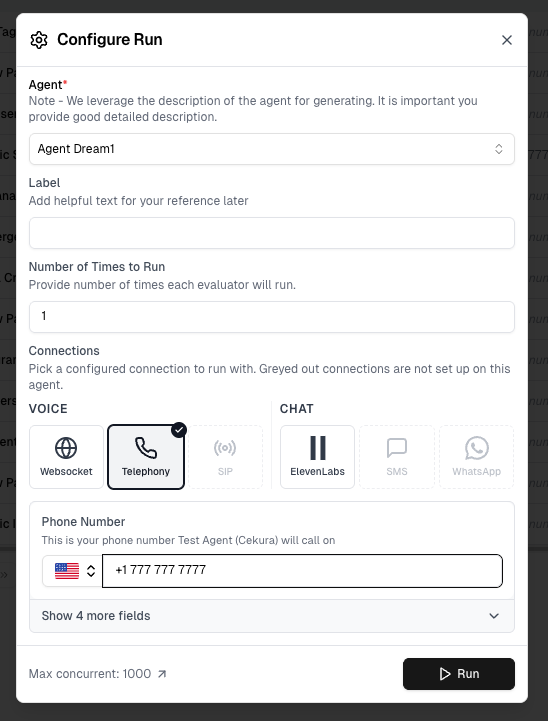
- Initiates phone calls to your agent
- Executes test scenarios
- Captures audio and transcript data
You can override the phone number directly in this dialog before running.
Connection options that appear greyed out have not been configured in Agent Settings yet — set them up there to enable them.
Connection options that appear greyed out have not been configured in Agent Settings yet — set them up there to enable them.
3
View results
Results appear in your dashboard. Track test status, metrics, and conversation details in real-time.
Mock Tools (optional)
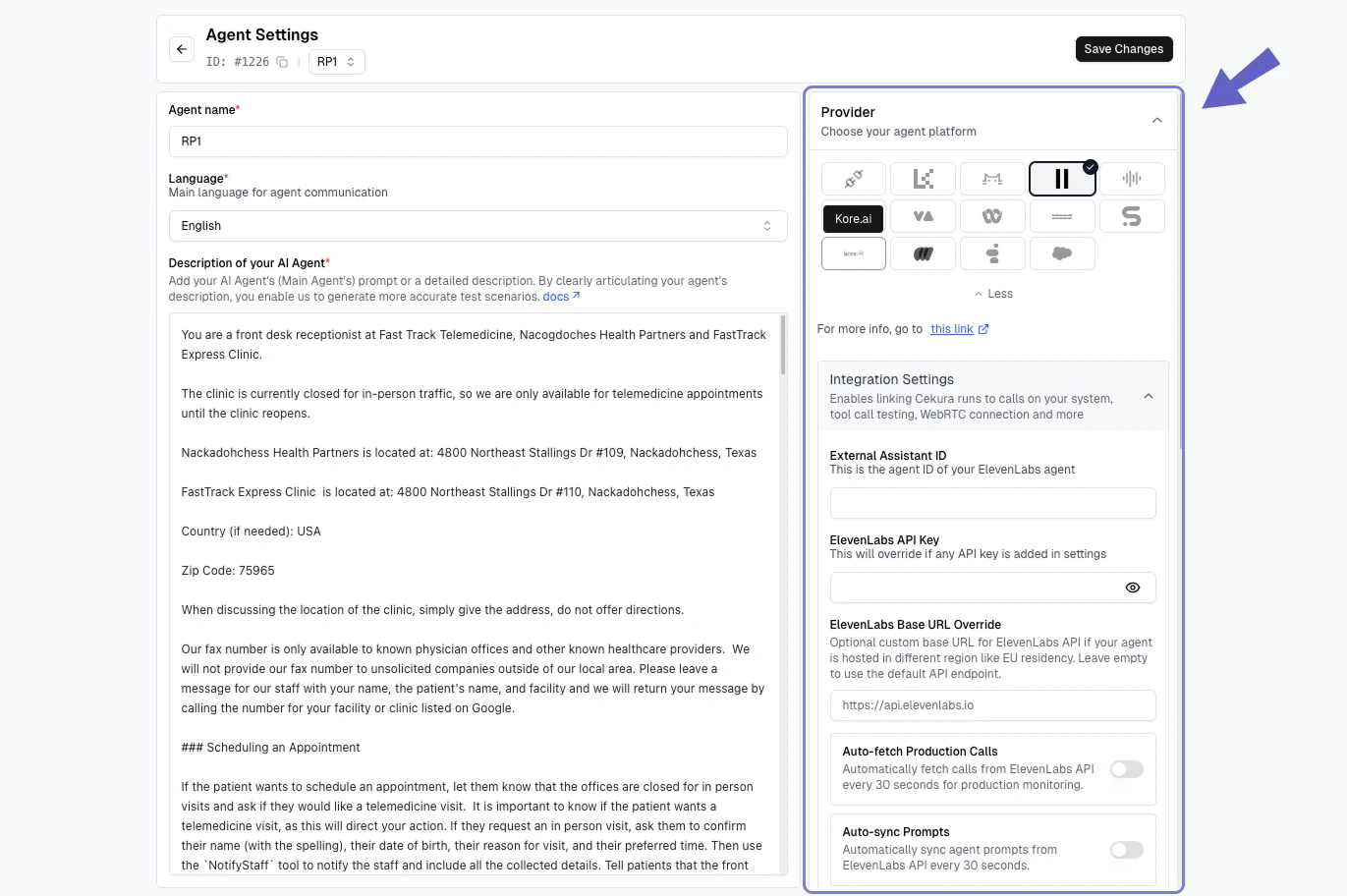
If your ElevenLabs agent calls tools, you can test it without hitting live services using Mock Tools. Use Auto-Fetch to pull your ElevenLabs tools and generate mock data, then enable the Mock toggle — Cekura updates the webhook tool URLs directly in your agent configuration and restores the originals when you disable the toggle. ElevenLabs’ conversation data already includes the tool calls your agent made, and Cekura extracts those into the transcript automatically. So the Mock Tool Call Accuracy metric works out of the box — unlike a custom integration, you don’t assemble or send the transcript yourself.Self-improvement
Once your ElevenLabs agent is connected, Improve Agent can fix failing scenarios for you. It works on a private copy of your ElevenLabs agent, edits the copy, re-runs your evaluators, and shows you a before/after per metric. Your live agent is never touched until you click Promote.1
Connect the agent
The loop reads and edits the agent through the ElevenLabs API key and Agent ID you configured above, so the Websocket or Chat connection must already be set up. Phone-only connections are not enough — Cekura needs API access to duplicate and edit the agent.
2
Start from a failure
Launch Improve Agent from a finished run, from a failing category on the Insights page, or by selecting evaluators in the Evaluators tab and using the bulk action.
3
Review and promote
When the loop finishes, review the per-metric before/after and the exact changes it made. Promote applies them to your live ElevenLabs agent. Discard copy deletes the private copy.
- The system prompt, LLM settings, and tool configuration
- The first message and language
- Turn-taking settings (turn eagerness, initial wait time)
- Speech recognition (ASR) settings
- For workflow agents: each subagent node’s prompt and message, and the conditions on edges between nodes
- Voice and TTS settings
- API keys, webhook URLs, and phone numbers
- Transfer destinations,
transfer_to_agenttools, and agent-transfer or transfer-to-number workflow nodes
The private copy is created with ElevenLabs’ duplicate API and named with a
[selfimprove-clone] suffix, so it is easy to spot in your ElevenLabs dashboard. If your agent transfers callers to other ElevenLabs agents, those agents are cloned too and every transfer is pointed at the corresponding clone, so test calls never reach your live agents. Agents that transfer to more than 10 other agents, or nest transfers more than 3 levels deep, are refused rather than partially cloned. Copies are deleted when you discard them, shortly after you promote, and automatically after about a week if you do neither.