

Overview
Test your SIP (Session Initiation Protocol) based agents directly through Cekura’s agents, bypassing traditional telephony networks. This provides enhanced control, reduced latency, and access to rich call metadata through custom headers.What is SIP?
SIP (Session Initiation Protocol) is a signaling protocol used for initiating, maintaining, and terminating real-time communication sessions. Unlike traditional PSTN calls that route through telephone networks, SIP enables direct IP-based communication between endpoints.How SIP Testing Works on Cekura
When you run a SIP test, the flow works as follows:- SIP Invite: Cekura sends a SIP INVITE request to your agent’s SIP endpoint
- Header Injection: Cekura automatically injects custom headers with test metadata
- Session Negotiation: SIP protocols negotiate audio codecs, media parameters, and connection details
- Media Stream: Direct RTP (Real-time Transport Protocol) audio streams are established
- Call Handling: Your agent processes the call with full access to SIP headers and metadata
- Results Collection: Cekura captures audio, transcripts, and evaluation metrics
Custom Headers
Cekura automatically injects critical headers into every SIP INVITE request to link the call session to the test run:- Track which test scenario triggered the call
- Link calls with specific test runs
- Extract metadata for debugging and analysis
- Enrich simulation evaluations programmatically
- No-code
- Code
Test your SIP-based agents directly from the frontend without writing code.
1
Configure SIP endpoint
Go to your agent settings and configure the SIP endpoint: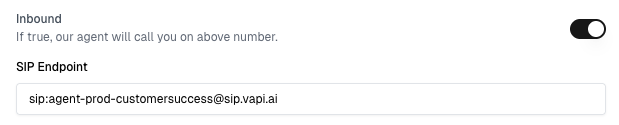
- SIP Endpoint: The SIP URI where your agent receives calls (e.g.,
sip:[email protected]orsip:192.168.1.100:5060)
Your SIP endpoint must be publicly accessible and able to receive incoming SIP INVITE requests from Cekura.
2
Run tests from frontend
Select scenarios and run tests using the UI: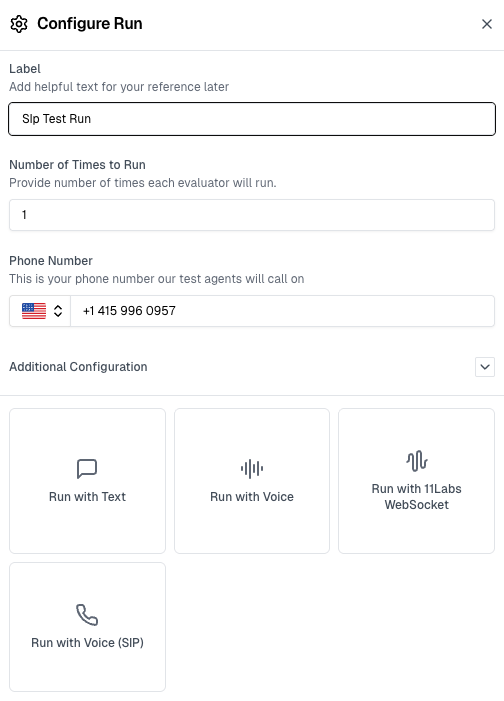
- Sends SIP INVITE requests to your configured endpoint
- Injects custom headers (
X-Run-Id,X-Scenario-Id,X-Result-Id) - Executes test scenarios
- Captures audio and transcript data
- Evaluates metrics in real-time
3
View results
Results appear in your dashboard.
Track test status, metrics, conversation details, and other details.